Use Case 04: Enable/Disable pool member
Prerequisites
This usecase assumes that a F5 BIG-IP instance, webservers and Ansible node are deployed. To deploy infrastructure in AWS users can use the F5 Ansible Provisioner
Overview of Use Case
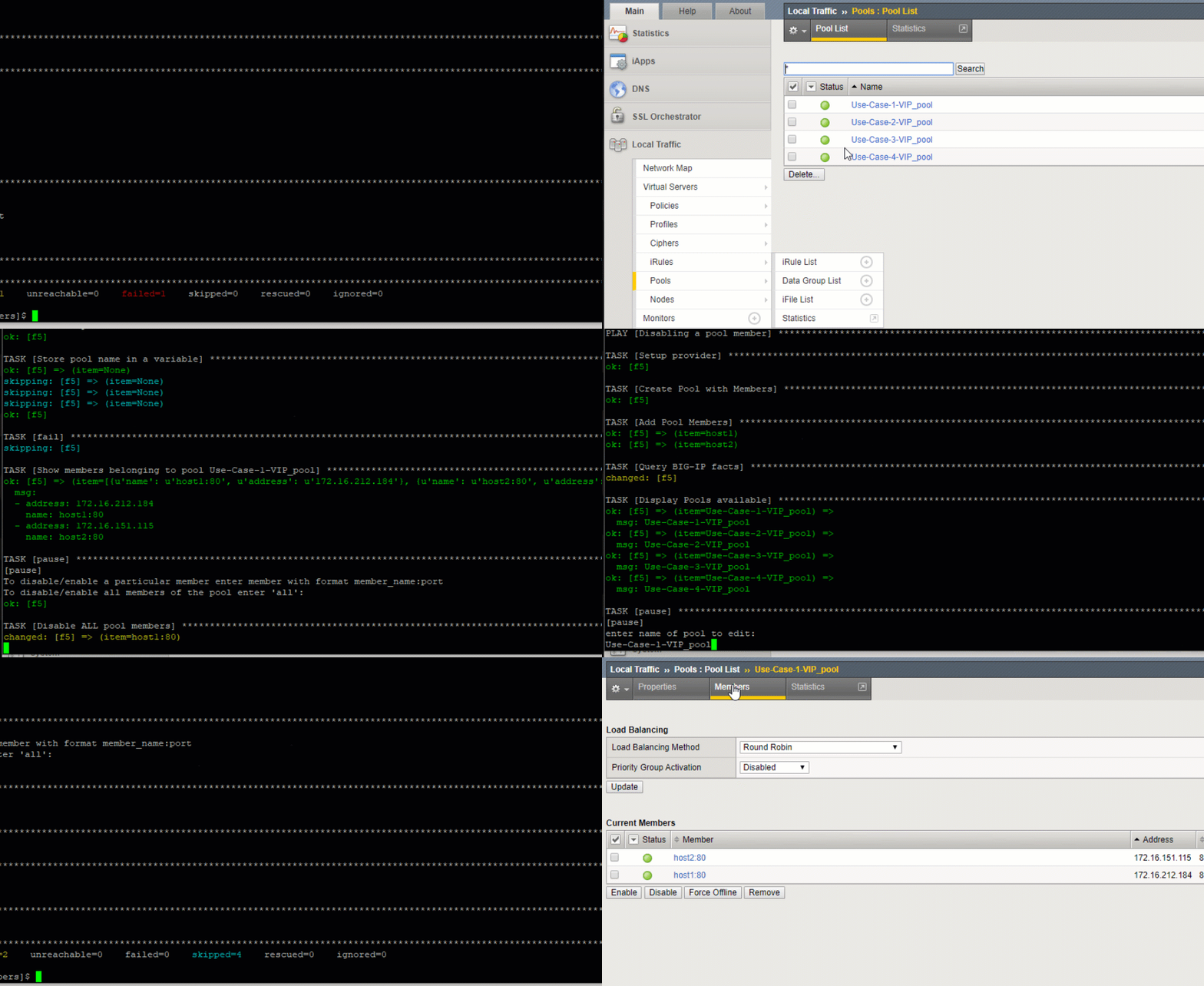
This use case will configure the BIG-IP To Enable or Disable LTM PoolMembers.
There are times where servers must be taken offline to provide upgrades,troubleshooting, or even replacement. This script allows the ability to enable or disable members within a pool. This playbook allows the ability to enable/disable all pool members (all) or by host name (e.g. host1:80)
Note
There is an addtional extra_var within the playbook call to trigger the enable or disable
Use Case Setup
Login to the Ansible Host
Launching the Ansible Playbook:
cd ~/f5_ansible_use_cases/04-enable-disable-pool-members

# To Enable Pool Members
ansible-playbook F5-LTM-Member-Enable-Disable.yaml -e @f5_vars.yml -e "pool_action=enable"

# To Disable Pool Members
ansible-playbook F5-LTM-Member-Enable-Disable.yaml -e @f5_vars.yml -e "pool_action=disable"
Testing and Validating
- Login to the BIG-IP
- Navigate to Local traffic->Pools.
- Click on the pool you selected while running the playbook
- View the members of the pool and verify their state based on action choosen while running the playbook