Use Case 03: WAF policy Manupilation
Prerequisites
This usecase assumes that a F5 BIG-IP instance, webservers and Ansible node are deployed. To deploy infrastructure in AWS users can use the F5 Ansible Provisioner
Overview of Use Case
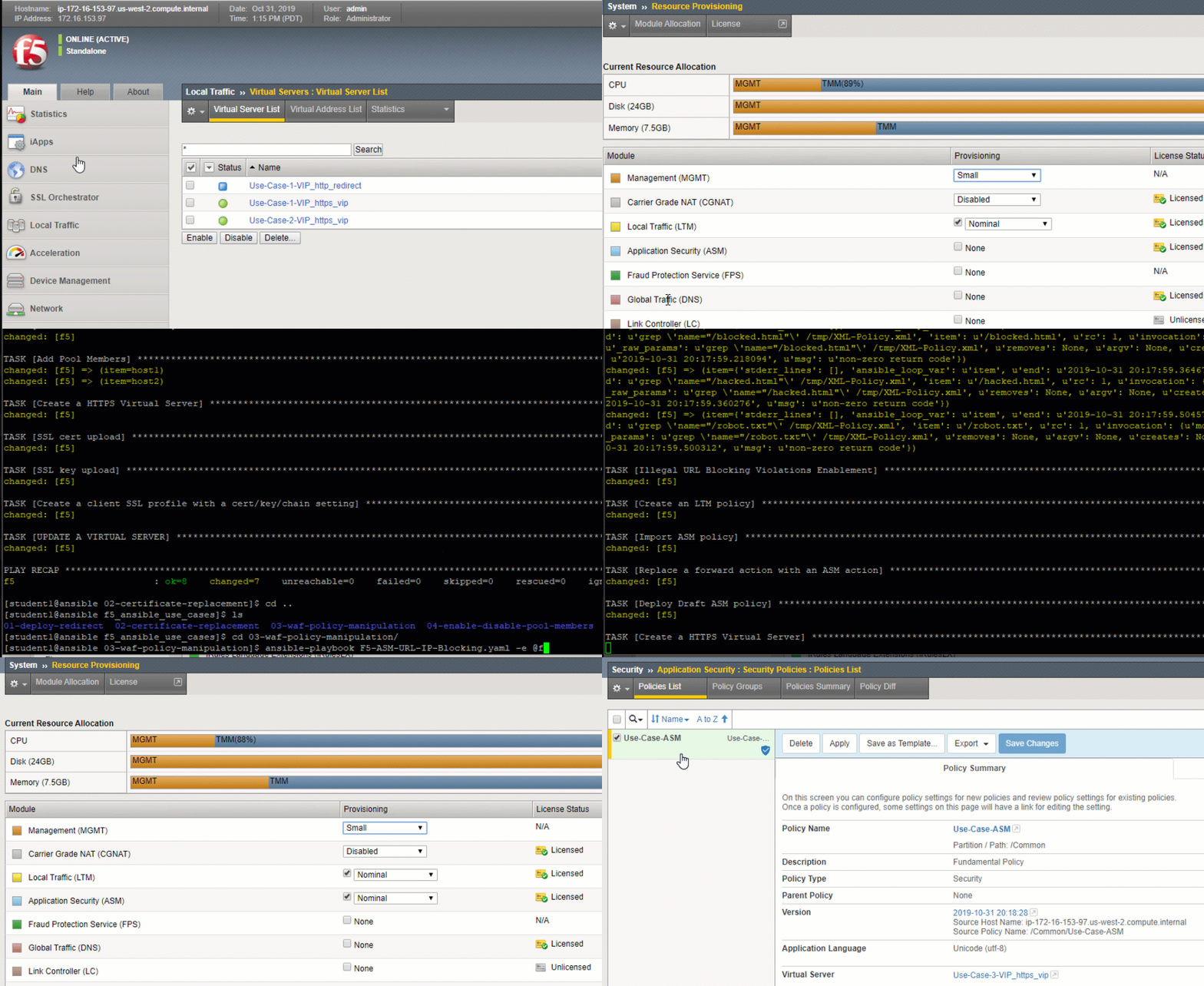
This use case will configure the BIG-IP to provision BIG-IP ASM, create a Virtual IP (VIP) including a Pool and nodes, an ASM Policy for the use case, then modify the created ASM Policy to Block IP’s and URL’s.
As a security consious vendor F5 wants to ensure that customers can find automated ways to block bad contenders either by IP or by specific URLs that are being attacked. This playbook was designed to allow customers to integrate with other security vendors or even ticketing based solutions like Service NOW to create a start to finish automated solution based on when attacks can occur.
Note
This Use case can be used in an either/or or combined scenario, meaning you can Block URLs or IPs or Both. This Playbook will also detect if Blocked URL or IP already exists and only add what is new.
This script can be modified to work on other URLs or IP’s by editing the Blocked_URLs and/or Blocked_IPs section inside of the f5_vars.yaml
Use Case Setup
Login to the Ansible Host
Launching the Ansible Playbook:
cd ~/f5_ansible_use_cases/03-waf-policy-manipulation
ansible-playbook F5-ASM-URL-IP-Blocking.yaml -e @f5_vars.yml
Testing and Validating
- Login to the BIG-IP
- Navigate to Security->Application security to view the WAF policy deployed
- Navigate to Local traffic->Virtual server
- View the deployed use case access VIP:port (8082)
- Access the VIP on port 8082 (https://VIP:8082)
- Access the URL’s present in the f5_vars.yml file to see the WAF policy in action